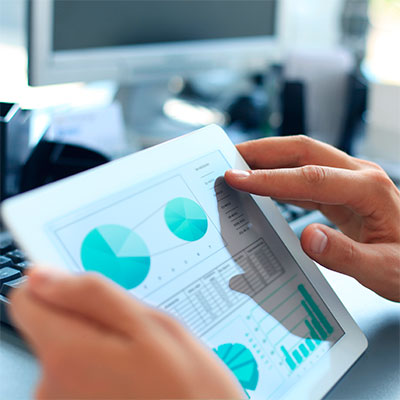
Our tracking software provides you with the information you need, anytime you need it, to productively manage your mobile workforce. More than 55 types of reports, covering a period up to 1 year, can be automatically generated and analyzed. The reports can also be exported to XML file, CSV, TIFF, PDF, Web Archive and Excel, and can be sent to your email address on a scheduled basis.

Using the Skyline Reporting System, companies can also request that they receive alerts when exceptional events occur, for instance an unplanned journey or movement of the vehicle outside its set area. Speeding can also be dramatically cut as the company is aware of all speeds throughout journeys and this can allow businesses the opportunity of taking disciplinary action against drivers going over a certain speeds.


Individual Reports
Detailed Report describes each event that occurs on a vehicle by providing information such as the time,
address, direction, speed vs. speed limit, map link, etc.

Journey Report details each trip’s route, mileage and duration from one location to another or for any selected
period of time.
Stop Time Report details the arrival time and the stay duration of the vehicle at each location which allows you
to validate customer visits.
Excessive Idle records the vehicle idle start time and duration. Monitoring this information allows you to increase
drivers’ productivity and reduce wasted time.
Fuel consumption record liters of gas consumed by the vehicles.
Exception Report details misbehaviours that you consider as unintentional errors.
Warning Report details misbehaviours that need your attention.
Alarm Report details misbehaviours that need your action.
Over Speed by Kilometer per Hour Report details the location, time and duration of over speed driving.
The speed limit can be customized based on your operations type.
Distances Records (Miles/Km) details the upgrade of the odometer reading.
Inputs 2, 3, & 4 Reports are customized reports detailing the activity of installed vehicle sensors such as
door open/closed, seat belt on/off, etc.
Out Of Hours Report records vehicle activity out of working hours, which helps eliminate after-hours use
of company vehicles.

Private and Business Mileage keeps track of mileage and fuel consumption statistics to improve the fleet’s efficiency.
Custom Point Report allows you to determine vehicle activities at a selected Point of Interest (i.e. vehicle number, time, duration, etc.).

Out of country reports describes each event that occurs on a vehicle out of Lebanon.
Group Reports
Individual vehicles reports can be combined to produce group reports, showing the routes and movement of many vehicles in the same report.
Other group specific reports such as Event Summary, Mileage Summary, Odometer/Utilisation and Custom Point can be generated for any selected number of vehicles.